

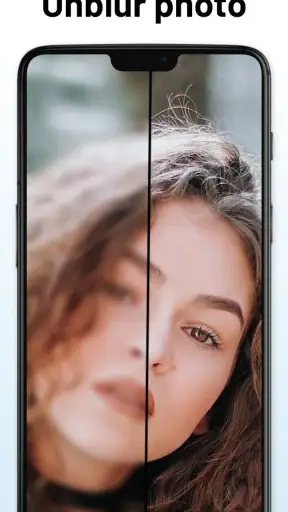
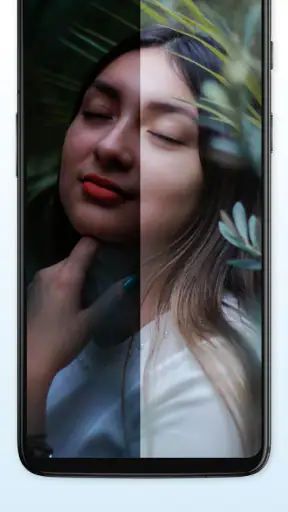
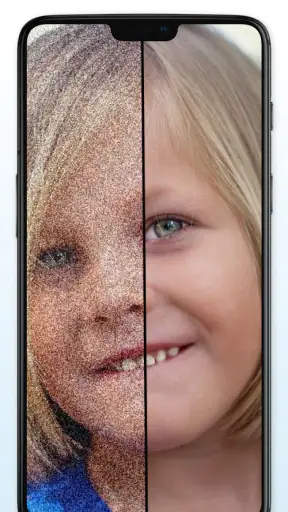
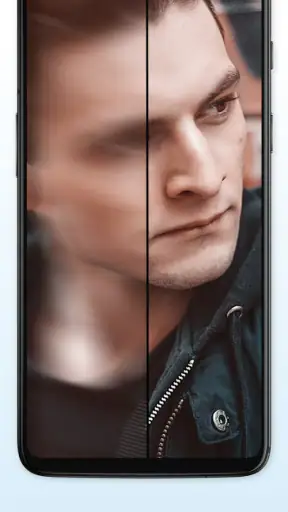
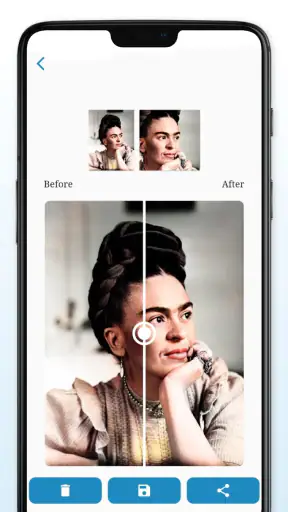
I tested AI Photo Enhancer - BlurBuster as a practical photography app rather than treating it like a magic repair button. Its main appeal is simple: it tries to make soft, blurry, or low-detail pictures look cleaner and sharper. That can be useful when an important household photo is slightly out of focus, an old image needs a little help, or a picture saved from a messaging app looks worse than the original.
My experience was positive when I used it for modest improvements. It is most convincing when the photo already contains recognizable detail but lacks crispness. It is less convincing when the source image is extremely small, heavily blurred, or full of compression artifacts. In those cases, enhancement can produce an image that looks more defined without actually becoming more accurate. The best results come from treating BlurBuster as a careful finishing tool, not a substitute for taking a good photograph.
BlurBuster is a free photography app from Kallossoft, available for people using Android 8.0 or later. It has reached over five million installs and holds a 4.2 average from around one hundred forty thousand ratings, with roughly one thousand three hundred written reviews. Those figures suggest that it has found a substantial audience, but they do not remove the need to understand where it fits into a real photo workflow.
How BlurBuster fits into a shared household
A useful tool for the family photo folder
The most realistic shared-device scenario is not professional editing. It is a family member finding an old picture on a phone and wanting to make it more presentable before sending it to relatives, printing it, or placing it in a shared album. One person may take the photo, another may perform the enhancement, and someone else may decide whether the result is good enough to keep. BlurBuster works well in that kind of small, informal chain because its purpose is easy to understand.
For example, imagine a child’s school event photographed from a distance. The original may show the right moment but have a slightly soft face and distracting background. I would try the image in BlurBuster, compare the result with the original, and keep both versions. The enhanced copy may be more pleasant to view on a phone, while the untouched file remains important because it preserves what the camera actually captured.
That habit matters. Image enhancement can alter edges, textures, and facial details. A sharper-looking face is not automatically a more faithful face. For casual memories, that trade-off may be acceptable. For documents, evidence, identification, or anything where exact detail matters, I would be much more cautious and would not treat the processed result as authoritative.
Where the app helps most
BlurBuster is particularly suitable for pictures that are almost usable. A slightly soft portrait, a scan that needs more definition, or a screenshot whose text is difficult to read can be a sensible starting point. I also found the idea useful for images that look dull after repeated sharing, although the final result still depends heavily on the quality of the file selected.
A practical tip is to begin with the original file rather than a copy downloaded from a chat conversation. Messaging services often reduce image quality before BlurBuster even receives it. If the original is available in the phone gallery, cloud storage, or a camera folder, that version gives the enhancer more information to work with. This is one of the easiest ways to improve the outcome without changing any setting.
Another worthwhile workflow is to enhance only the image that needs attention instead of processing an entire folder automatically. A household may have many similar photos, but sharpening every version can create unnecessary duplicates and make it harder to know which file is the original. I prefer selecting a promising image, checking it at normal viewing size, and then deciding whether the processed copy deserves to stay.
When a normal editor is the better choice
BlurBuster should not replace a full photo editor when the real problem is exposure, color, cropping, perspective, or distracting objects. A traditional editor gives me more direct control over those decisions. If a picture is already sharp but too dark, an exposure adjustment may help more than an enhancer. If the subject is tiny because the composition is too wide, cropping and reframing may be the more honest solution.
Likewise, a camera’s original portrait mode, a scanner, or a better retake can outperform any repair app. If I can ask someone to stand still and take another picture in good light, I would choose that over trying to reconstruct missing detail. BlurBuster is most useful when retaking the image is impossible or inconvenient, not when a better source is readily available.
Setup boundaries, sharing, and everyday coordination
What I would decide before handing over the phone
Because this is a shared-use app, I would establish a simple boundary before letting someone else work with it: use copies, not irreplaceable originals. That rule is more valuable than any editing habit. A family member can experiment freely when the untouched photo remains safely stored elsewhere.
I would also explain that a processed image may look different from the source. Someone expecting a perfect restoration could be disappointed if the app makes hair, fabric, or small lettering appear unusually crisp. Showing the original and enhanced versions side by side is a quick way to keep expectations realistic. The goal is usually improved viewing, not guaranteed recovery of information that the camera never recorded.
The app is free to download, which lowers the barrier for occasional household use. It also includes in-app purchases ranging from twenty-nine cents to seventy-nine dollars and ninety-nine cents per item. That makes it worth paying attention to any purchase step before confirming it, especially on a phone used by several people. I would not hand the device to a child or guest without first making sure the person understands that free access and optional paid items are not the same thing.
Keeping versions organized
One of the less obvious challenges with an enhancer is file confusion. After processing, I recommend keeping a clear distinction between the original and the edited copy. A simple naming habit, a separate album, or an immediate share to the intended recipient can prevent the household gallery from filling with near-identical files.
This is especially useful when several people coordinate around one photo. The person who enhances it may think the job is finished, while the person preparing a print may prefer the original crop. If both versions are retained, the family can make that choice later instead of repeating the process or losing the source.
I would also review the result at two sizes. Zooming in can reveal artificial edges or strange textures that are easy to miss. Viewing the image at the size it will actually be shared or displayed gives a better sense of whether the enhancement helps. An image that looks impressive at extreme magnification may appear unnatural in a normal gallery view.
Handling personal photos on a shared device
Household coordination is not only about technical quality. A shared phone may contain private portraits, personal documents, or pictures that one family member does not want circulated. BlurBuster can be useful without turning every image into a group project. I would ask before editing someone else’s personal photo and would avoid sending a processed copy to a shared chat unless the owner expects it.
For a family album, the safest approach is to agree on who chooses the final version. One person can handle enhancement, another can check whether the image still looks natural, and the owner can decide whether it is shared. This keeps the app in its proper role: an editing aid, not an excuse to redistribute photos without permission.
Age context and trust
The app carries an Everyone content rating, so its subject matter is broadly suitable for general audiences. That does not mean every use should be unsupervised. The more relevant household concern is purchase awareness and respect for photo ownership. Younger users may understand how to improve a picture but not why an original should be preserved or why a private image should not be forwarded.
I would be comfortable introducing it to an older child for a specific creative task, such as improving a family snapshot, while keeping the conversation focused on copies, consent, and paid items. I would be less comfortable allowing unrestricted use on a shared device that contains confidential images or has payment access available. Those are household decisions rather than shortcomings unique to the app, but they affect whether BlurBuster feels safe and convenient in practice.
Trust also matters when the app is used for portraits. Enhancement can make someone’s face appear smoother or more defined than it looked in the original. That can be fine for a casual profile picture, but it is worth telling the person what was changed. In my view, a good family workflow values the subject’s preference as much as the editor’s desire for a sharper result.
Comparing it with familiar alternatives
Compared with a standard gallery editor, BlurBuster is more focused on improving apparent clarity rather than giving me a broad set of manual adjustments. That specialization is convenient when the central problem is softness, because I do not have to build the effect from several sliders. The trade-off is control: a conventional editor is usually preferable when I want to decide exactly how much sharpening, contrast, noise reduction, or color correction is applied.
Compared with a dedicated scanner, BlurBuster is the more convenient choice for an existing image but not necessarily the best choice for creating a clean new copy of a document or printed photograph. A scanner or careful camera setup can preserve edges and text at the source. BlurBuster becomes more attractive when the original material is unavailable, the image is already in the phone, or the household needs a quick improvement rather than archival-quality reproduction.
Compared with simply retaking a picture, the app saves time but accepts uncertainty. A new photo under better lighting gives me genuine new information. Enhancement works with what is already there and may infer detail. That distinction is the main reason I would use it for memories and casual sharing, while choosing a retake or a more controlled editing process for important records.
Practical limits I noticed
The biggest limitation is that sharpening can expose the weaknesses of a poor source. A very compressed picture may gain stronger outlines without gaining natural texture. Faces can become the most noticeable problem because viewers are sensitive to changes in eyes, skin, hair, and teeth. I would inspect those areas carefully instead of judging the image only by its overall crispness.
Another limitation is that “better” depends on the destination. A result intended for a small phone preview may look perfectly acceptable, while the same file enlarged for printing may reveal artifacts. Before processing, I would decide whether the image is for a message, a social post, a digital album, or a physical print. That decision changes how much enhancement I am willing to accept.
I also would not assume that every difficult picture deserves maximum processing. A gentle improvement can preserve a more believable appearance than an aggressive one. If BlurBuster offers a choice in intensity during the workflow, I would begin conservatively; if the available process is more automatic, I would compare the output closely with the source and avoid keeping it merely because it looks more dramatic.
Version and device considerations
The current version is 1.339, and the app supports Android 8.0 and newer. That gives it a reasonably broad place in a household where not every phone is recent. Still, shared-device families should check that the phone itself has enough free storage for original and edited copies, particularly when working with high-resolution photographs. Keeping both versions is useful, but it also means the gallery can grow faster than expected.
If one household member uses an older compatible phone and another uses a newer device, I would compare the experience on the actual phone that will handle the photos most often. Processing comfort, gallery organization, and the ease of reviewing results can matter more than the app’s basic availability. A family does not need every person to install it if one trusted device can handle the occasional enhancement and share the finished copy.
Who should use it and who should skip it
I would recommend BlurBuster to someone who regularly encounters almost-good photographs and wants a focused way to improve their clarity without learning a complex editor. It makes sense for family snapshots, old digital images, casual portraits, and pictures that need a little extra definition before sharing. It is also approachable for a mixed household because the purpose is clear and the workflow can remain simple.
I would suggest skipping it, or at least choosing another method first, if the main task is professional retouching, exact document recovery, batch catalog management, or precise manual correction. People who care about preserving every texture exactly as captured may prefer a non-destructive editor with detailed controls. Anyone trying to rescue a severely blurred image should also keep expectations low; no enhancer can reliably recreate every missing feature.
For children, I would frame it as a supervised creative tool rather than an unrestricted photo utility. For adults sharing a device, I would prioritize consent and purchase awareness. For someone working alone on personal pictures, those boundaries are easier to manage, but the original-versus-enhanced distinction still matters.
My household verdict
After using BlurBuster in the way most people actually need it, I see it as a convenient specialist rather than an all-purpose photography solution. Its strength is the quick attempt to make a soft image more presentable. Its weakness is the temptation to confuse visible sharpness with recovered truth. Used thoughtfully, it can save a family from abandoning a meaningful picture that is just a little weak.
The free entry point makes trying it straightforward, while the optional purchases mean shared-device users should pay attention during the workflow. Kallossoft has positioned the app in a useful space between doing nothing and opening a full editor, and the strong install base suggests that this simple task resonates with many Android users.
My recommendation is to keep the original, process one image at a time, inspect faces and fine text at normal viewing size, and decide based on where the result will be used. If the enhanced version looks more readable or more enjoyable without becoming artificial, keep it as a second copy. If it only looks sharper under heavy zoom, return to the original or choose a better editing method.
For a household that wants an easy answer to occasional blurry photos, AI Photo Enhancer - BlurBuster is worth trying. I would not make it the family’s only photo tool, but I would keep it available for those moments when a picture cannot be retaken and needs a careful second chance.


